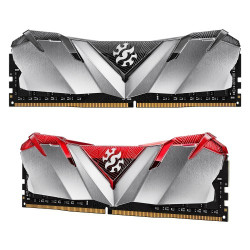
RAM Price in BD – Desktop DDR3, DDR4 & DDR5 Memory for Every Build
Most of the times, people searchingRAM price in BD on google. WhereCreatus Computer stocks genuine Desktop RAM across DDR3, DDR4, and DDR5 generations, in capacities from 4GB up to 64GB, from trusted brands including Corsair, Kingston, G.Skill, Adata, and Team ram. Whether you're upgrading an old office PC, building a gaming rig, or setting up a workstation for heavy multitasking, this page will help you understand what actually affects RAM pricing in Bangladesh and which capacity, speed, and generation makes sense for your setup — with every price updated live on the product pages below.
What Actually Decides Desktop RAM Price in BD?
RAM pricing in Bangladesh moves with a few clear factors, and understanding them helps you buy smart instead of overpaying for specs you don't need:
- Generation (DDR3 / DDR4 / DDR5): Older DDR3 is the cheapest tier and only fits legacy motherboards. DDR4 is the current mainstream standard. DDR5 is the newest and carries a premium for its higher bandwidth.
- Capacity: 8GB, 16GB, and 32GB sticks scale up in price roughly in line with capacity, though buying a single larger stick is usually better value than two smaller ones.
- Bus speed (MHz): Faster-rated kits — 3200MHz and above for DDR4, or 6000MHz and above for DDR5 — cost more but give a real, measurable boost in gaming and multitasking performance.
- Brand and warranty: Established brands with heatsinks, RGB lighting, and longer official warranties sit above no-name budget sticks in price, but offer far better long-term reliability.
- Import and currency factors: Since almost all RAM sold in Bangladesh is imported, global memory-chip supply and BDT exchange rate movements do shift local prices from time to time — this is why prices fluctuate and are best checked live rather than relying on a fixed figure.
DDR3 vs DDR4 vs DDR5 — Which One Do You Need?
Before comparing prices, make sure you're buying the right generation for your motherboard — DDR3, DDR4, and DDR5 are not interchangeable and use different slot designs.
| RAM Type |
Typical Speed Range |
Best For |
Motherboard Requirement |
| DDR3 RAM |
1333MHz – 1866MHz |
Older office PCs, basic browsing & document work |
Pre-2015 motherboards only |
| DDR4 RAM |
2400MHz – 3600MHz+ |
Mainstream gaming, everyday multitasking, content creation |
Most current-generation Intel & AMD boards |
| DDR5 RAM |
4800MHz – 8000MHz+ |
High-end gaming, streaming, professional workstations |
Intel 12th Gen+ (Z690/Z790) or AMD Ryzen 7000 (AM5) only |
How Much RAM Do You Actually Need?
Buying more capacity than your workload needs is the single most common way people overpay on RAM in Bangladesh. Here's a quick reality check by use-case:
- 8GB: Fine for basic browsing, office documents, and casual use — the practical minimum for a comfortable Windows 11 experience today.
- 16GB: The current sweet spot. Handles AAA gaming, 1080p/4K video editing, and heavy multitasking without slowdown. Most PC builders should target this as a baseline.
- 32GB: For 3D rendering, streaming while gaming, running virtual machines, or professional creative work where the system should never feel the ceiling.
- 64GB and above: Reserved for workstation, server, and AI/ML workloads where multiple heavy applications run simultaneously.
For most gaming and productivity builds, running two matched sticks in dual-channel mode (for example 2x8GB instead of a single 16GB stick) gives noticeably better real-world performance than a single-stick setup of the same total capacity — provided your motherboard has open slots to support it.
Trending Desktop RAM Picks at Creatus Computer
Here are a few of our most reliable, frequently reordered picks across different budgets and performance tiers — check each product page for live pricing and stock:
Top RAM Brands Available in Bangladesh
Corsair is one of the most trusted names in performance memory worldwide, with its Vengeance series a favourite for gaming builds. Kingston offers excellent reliability and broad motherboard compatibility, with the FURY Beast line especially popular among gamers. G.Skill is the pick for serious overclockers thanks to its Trident Z and Trident Z5 series. Meanwhile, Adata and Team Group deliver strong, budget-conscious performance for builders who still want dependable specs without paying a premium brand tag.
Buying Tips Before You Purchase RAM in BD
- Always confirm your motherboard's supported RAM type (DDR4 or DDR5) and maximum speed before ordering — check your motherboard's specification sheet or the Motherboard category for compatible boards.
- Buy RAM in matched pairs (kits) rather than mixing sticks of different speeds or brands, to avoid instability.
- Check that your CPU and chipset officially support the RAM speed you're buying — a 6000MHz kit won't run at full speed on an unsupported board.
- Prefer sellers offering official brand warranty (most Creatus Computer RAM kits carry manufacturer warranty) so you're covered against early failure.
- If you're building a full PC, also review our Processor and Graphics Card ranges to make sure your RAM choice matches your overall build tier.
Frequently Asked Questions
What is a good RAM speed for gaming in Bangladesh?
For DDR4 builds, 3200MHz to 3600MHz is the sweet spot for gaming performance without overspending. For newer DDR5 platforms, 6000MHz kits offer the best balance of price and real-world gaming gains.
Is 8GB RAM enough in 2026?
8GB is enough for basic browsing, office work, and light multitasking, but most modern games and creative software run noticeably better with 16GB, which is now the recommended minimum for a new build.
Can I mix DDR4 and DDR5 RAM on the same motherboard?
No. DDR4 and DDR5 modules have different pin layouts and are not physically or electrically compatible — your motherboard supports only one type, so always check your board's specification before buying.
Does adding more RAM increase FPS in games?
Beyond the recommended amount for a game, extra RAM capacity rarely adds FPS. What helps more is running RAM in dual-channel mode and matching the speed your CPU and motherboard officially support.
Why do RAM prices change so often in Bangladesh?
Almost all RAM sold locally is imported, so global memory-chip supply, freight costs, and BDT exchange rate movements directly affect local pricing — this is why it's best to check the live price on the product page rather than relying on a fixed number.
Which RAM brand is most reliable for long-term use?
Corsair, Kingston, and G.Skill are widely regarded as the most reliable brands for long-term stability, backed by strong manufacturer warranties and consistent quality control.